
Since I started using AI to develop plugins for WordPress, I always worry that the current agent might introduce bugs or write code that is too complex and unclear. Not that my code was flawless before AI, far from it. However, since there are tools that automatically analyze and validate code, why not use them?
One of these is PHPStan, a PHP Static Analysis Tool that performs static analysis: it reads the code without executing it and finds errors that would otherwise only be discovered at runtime, possibly in production. For example: non-existent functions or methods, wrong types, undefined variables, values that can be null, code that will never be executed.
The advantage is that the check is automatic and repeatable; it runs with a command, manually or automatically at each commit, and the tool performs a series of checks that produce reports more or less numerous depending on the “cleanliness level” chosen as the goal.
The reports are not automatically fixed: you have to intervene and fix them one by one.
Levels
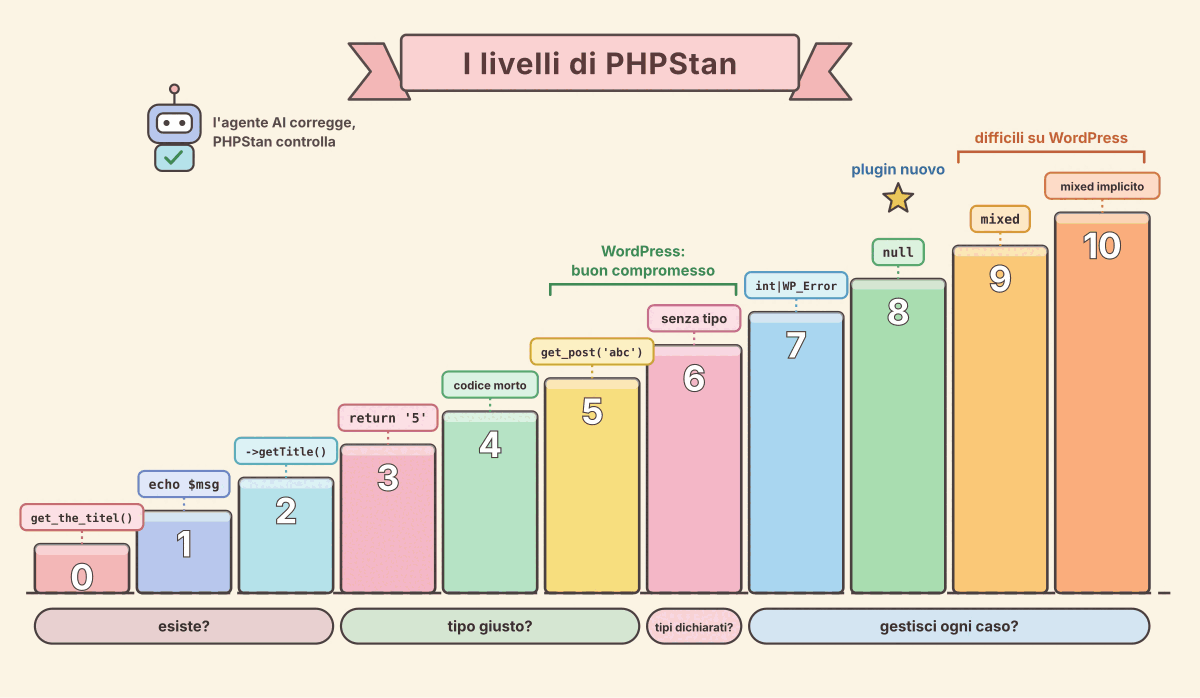
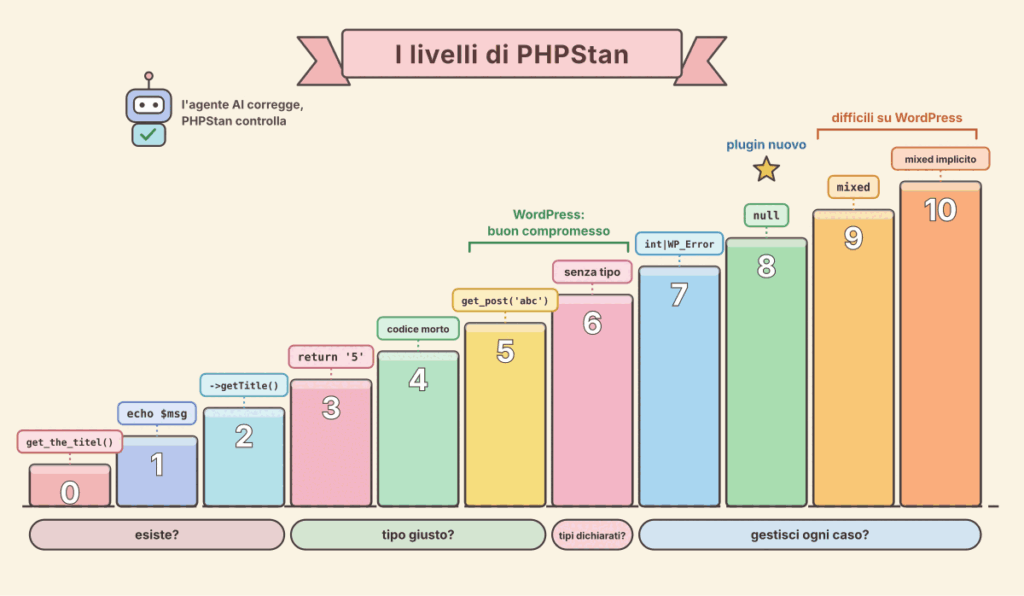
PHPStan does not apply all checks at once but organizes them into levels from 0 to 10, from the most permissive to the most strict, and each level includes the checks of the previous ones. So on an existing project you can start low and raise the level as you fix the code.
In summary:
- Levels 0–2: verify that classes, functions, methods, and variables used in the code actually exist.
- Levels 3–5: verify that values passed to functions, returned values, and those assigned to properties are of the declared type.
- Level 6: requires that parameters and return values of functions and class properties always have a declared type.
- Levels 7–10: require the code to handle every possible value, including union types,
null, andmixedtypes.
The level is chosen from the command line, for example vendor/bin/phpstan analyse src --level 5, or in the configuration file phpstan.neon.
Description of the levels
It is not immediately clear what it means, in practice, to reach a certain level. Essentially, possible code anomalies have been classified into levels based on the strictness of the checks, so they can be addressed in successive steps.
Below I provide some examples that help understand what each level’s checks actually verify, so you can identify the minimum level to reach for your application.
For each level, I provide: the question it answers, what it checks, and an example of an error (❌) with the correction (✅).
Level 0 – Does the code exist?
Classes, functions, and methods called must exist and must receive all required arguments. Extra arguments are only reported from level 1, because PHP accepts them without complaint.
// ❌ non-existent function and missing required argument
$title = get_the_titel();
$color = get_option();

// ✅
$title = get_the_title();
$color = get_option('my_plugin_color');
Level 1 – Are variables always defined?
Reports variables that might not be defined, for example when they are assigned only inside an if statement.
// ❌ if $is_admin is false, $msg does not exist
if ($is_admin) {
    $msg = 'Hello admin';
}
echo $msg;

// ✅
$msg = '';
if ($is_admin) {
    $msg = 'Hello admin';
}
echo $msg;
Level 2 – Do methods exist on any object?
At level 0 only methods called on $this are checked. Here they are checked on any object and PHPDoc validity is verified.
// ❌ WP_Post does not have the method getTitle()
function show(WP_Post $post) {
    echo $post->getTitle();
}

// ✅
function show(WP_Post $post) {
    echo $post->post_title;
}
Level 3 – Do you return the promised type?
Returned values and those assigned to properties must match the declared types.
// ❌ declares int but returns a string
function count_items(): int {
    return '5';
}

// ✅
function count_items(): int {
    return 5;
}
Level 4 – Is there dead code?
Finds dead code: conditions always true or always false and code that will never be executed.
// ❌ $post is already a WP_Post: the check is always true
function render(WP_Post $post) {
    if ($post instanceof WP_Post) {
        return $post->post_title;
    }
    return ''; // unreachable
}

// ✅
function render(WP_Post $post) {
    return $post->post_title;
}
Level 5 – Do you pass arguments of the right type?
Checks the type of arguments passed to functions and methods. This level finds the most concrete bugs.
// ❌ get_post() expects an int or a WP_Post, not a string
$post = get_post('abc');

// ✅
$post = get_post(absint($_GET['id'] ?? 0));
Level 6 – Have you declared types?
Reports parameters, return values, and properties without a type, including arrays whose contents are not described.
// ❌ no type declared
function get_ids($posts) {
    return array_map(fn($p) => $p->ID, $posts);
}

// ✅
/**
 * @param WP_Post[] $posts
 * @return int[]
 */
function get_ids(array $posts): array {
    return array_map(fn(WP_Post $p) => $p->ID, $posts);
}
Level 7 – Do you handle all possible types?
If a value can have multiple types (union type), the code must work for all, not just some.
// ❌ wp_insert_post() can return int or WP_Error
$id = wp_insert_post($data, true);
echo $id + 1;

// ✅
$id = wp_insert_post($data, true);
if (is_wp_error($id)) {
    return;
}
echo $id + 1;
Level 8 – Have you considered null?
Prohibits calling methods or reading properties on values that could be null.
// ❌ get_post() can return null
$post = get_post(42);
echo $post->post_title;

// ✅
$post = get_post(42);
if ($post === null) {
    return;
}
echo $post->post_title;
Level 9 – Do you use mixed without checking?
A value declared as mixed cannot be used until its type is verified. The only allowed operation is passing it to another mixed.
// ❌ get_option() returns mixed: it is not guaranteed to be an array
$opts = get_option('my_plugin_settings');
echo $opts['color'];

// ✅
$opts  = get_option('my_plugin_settings');
$color = is_array($opts) && is_string($opts['color'] ?? null)
    ? $opts['color']
    : 'blue';
echo $color;
Level 10 – Even implicit mixed?
Applies the rules of level 9 also to mixed implicit, that is, values without a declared type.
// ❌ $title has no declared type: it is implicit mixed
add_filter('the_title', function ($title) {
    return strtoupper($title);
});

// ✅
add_filter('the_title', function ($title) {
    return is_string($title) ? strtoupper($title) : $title;
});
Levels 9 and 10 on WordPress
On WordPress these two levels are hard to reach because many core functions return mixed. The reason is that WordPress was created before PHP had type declarations and therefore stores data of any form: many core functions can return, or accept as parameters, values of different types. For example:
- options and meta:
get_option(),get_post_meta(),get_transient()can return a string, an array,false…; - filters:
apply_filters()returns whatever the last hooked callback returns, even from another plugin; - user input: every field in
$_GETand$_POSTmust be verified; - hook callbacks: often have untyped arguments, i.e., the implicit
mixedof level 10.
The consequence is that every value read from WordPress must be checked before use, as in the examples of levels 9 and 10, and the code becomes quite lengthy. However, these checks are not useless: a corrupted option or a filter returning null are real bugs, to make them manageable it is best to validate data in a single place (with a few typed getters or a settings class) and always declare callback types.
Considerations
For a WordPress plugin, level 5 or 6 is usually a good compromise, while for a new plugin you can aim for 8, which forces handling null returned by functions like get_post().
On an existing project it is advisable to start from a low level and generate a baseline (--generate-baseline), which “freezes” existing errors: this way PHPStan reports only new ones and you can raise the level gradually. In any case, the phpstan-wordpress extension is needed, otherwise PHPStan does not know the core functions.
Needless to say, these checks are well suited to automated Continuous Integration procedures and that moving to a higher level is facilitated by the ability to make massive corrections with AI agents, who are very good at this as well.
Maybe soon I will write a post on how to configure PHPStan in a WordPress plugin, how to set up CI on GitHub, and how to add a badge to certify its use.
Sources and references
- PHPStan, official site.
- Rule Levels, the documentation of the levels.
- Two projects where I am using it: Design Laboratori Italia, KK Content Exporter.
*** Note: This article was automatically translated using a workflow created with n8n and OpenAI. The original version of the post is the Italian one.