
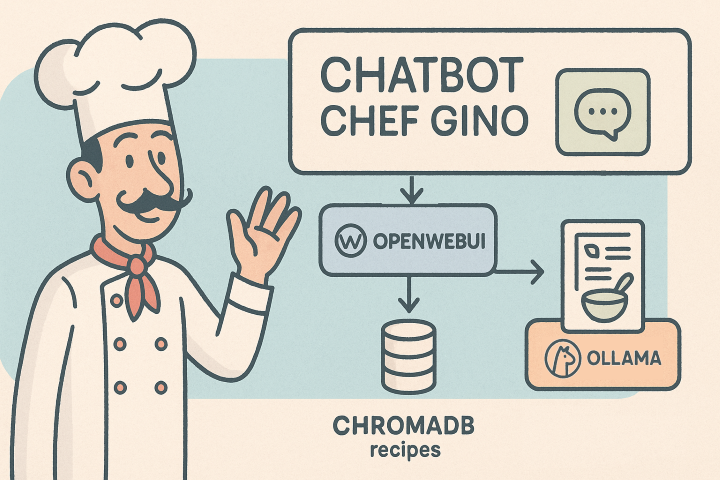
In this post, we will try using Open WebUI to create a small RAG (Retrieval Augmented Generation) [6] system.
A RAG combines the generative capabilities of a LLM (Large Language Model) with knowledge retrieved from sources unknown to the LLM (typically the organization’s private data) to provide accurate and precise answers about a narrow domain.
The goal, therefore, is to use a private database to answer user questions on specific topics.
Data can come from various sources: databases, management systems, documents, file systems, websites, etc. When data is loaded into a RAG system, it is vectorized and saved in a vector database (for example, ChromaDB). When a user queries the RAG, the system retrieves all vectors containing data related to the question and includes them in the prompt sent to the LLM. The model then searches among this data for the necessary information and responds using both those specific pieces of information and the “generic” knowledge it possesses.
A RAG system can be built using libraries like LllamaIndex or LangChain, but there are systems that already include all these features internally.
To try this entire process, in this post we will create a chatbot expert in cooking: Chef Gino, built with OpenWebUI and Ollama.
Prerequisites
It is necessary that Ollama [8] and OpenWebUI [5] are already installed and configured on the system (in our case, a Windows computer), and that you download this archive containing some properly formatted recipes [7].
Project Description
Suppose we want to create a Chatbot that simulates the knowledge of a skilled chef who knows many recipes and all the secrets to create tasty dishes. We would like our chef friend, named Gino, to always be ready to suggest a good dish to cook with the ingredients we have available.
This is not a difficult project to realize, but I chose it because it is fun and because there are many free recipes online that can be used as a database. In this case, however, I used recipes structured in a very specific format and had them generated by ChatGPT to speed up the process.
It goes without saying that this is only a prototype and that creating a commercial system would require much more serious and complex work. The last paragraph lists the main issues encountered and the topics that should be explored further to achieve a better system.
Configuration and Use as RAG
The procedure to configure the RAG is well described in the official documentation with a tutorial [6]. The steps to follow are:
- Download the recipe archive or create your own [7].
- Create a custom model on Ollama with an extended context so that information extracted from the recipes can be sent to the model. In this case, we started from the Mistral:7b model and increased the context window from 2048 tokens (the default) to 8192 tokens:
- Create a Modelfile.
- Insert the lines:
FROM mistral:7b PARAMETER num_ctx 8192
- Run the commands to create and run the mistral-8k model:
ollama create mistral-8k -f Modelfile
ollama run mistral-8k
- Create the knowledge base:
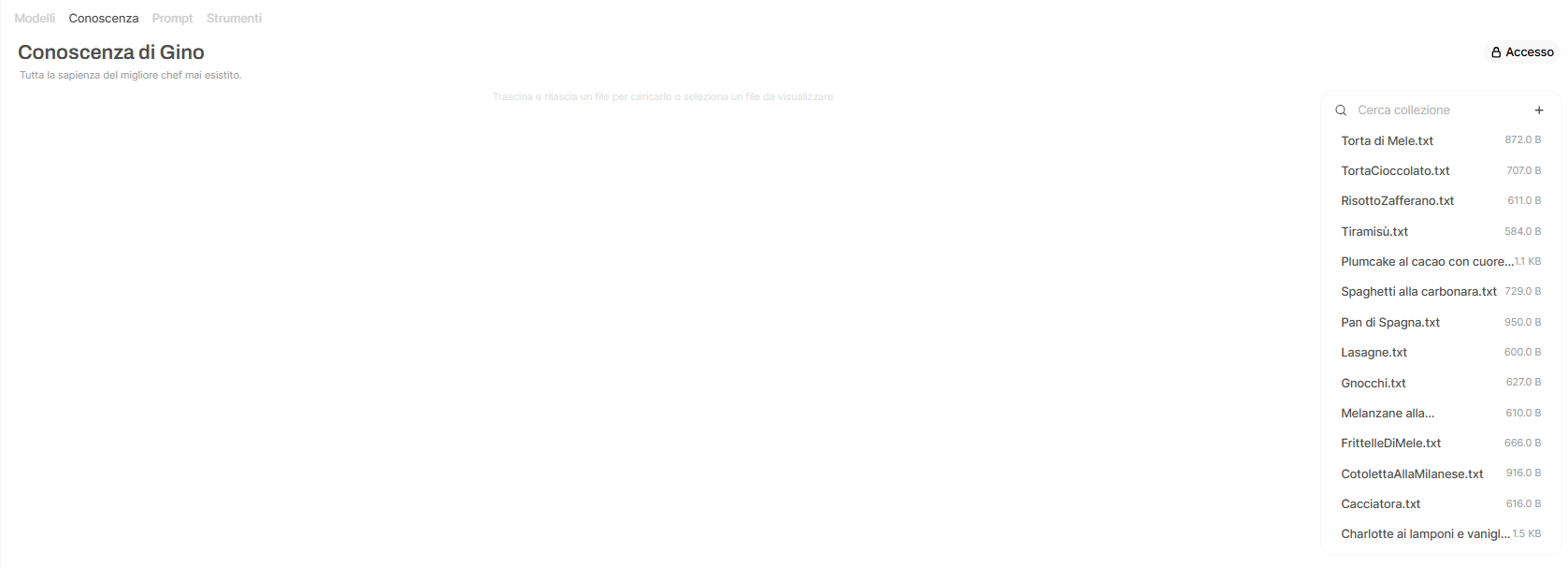
- From Workspace → Knowledge click on Create a knowledge base.
- Enter a Name (for example, Gino’s Knowledge) and a Description.
- Leave the Visibility field set to Private.
- Click Create knowledge.
- Click the + symbol and import the data files one by one or import directories (in this case, I imported the directory RicetteFormattate) and select the custom model created in step 2: mistral-8k:latest.
- Create a custom model:
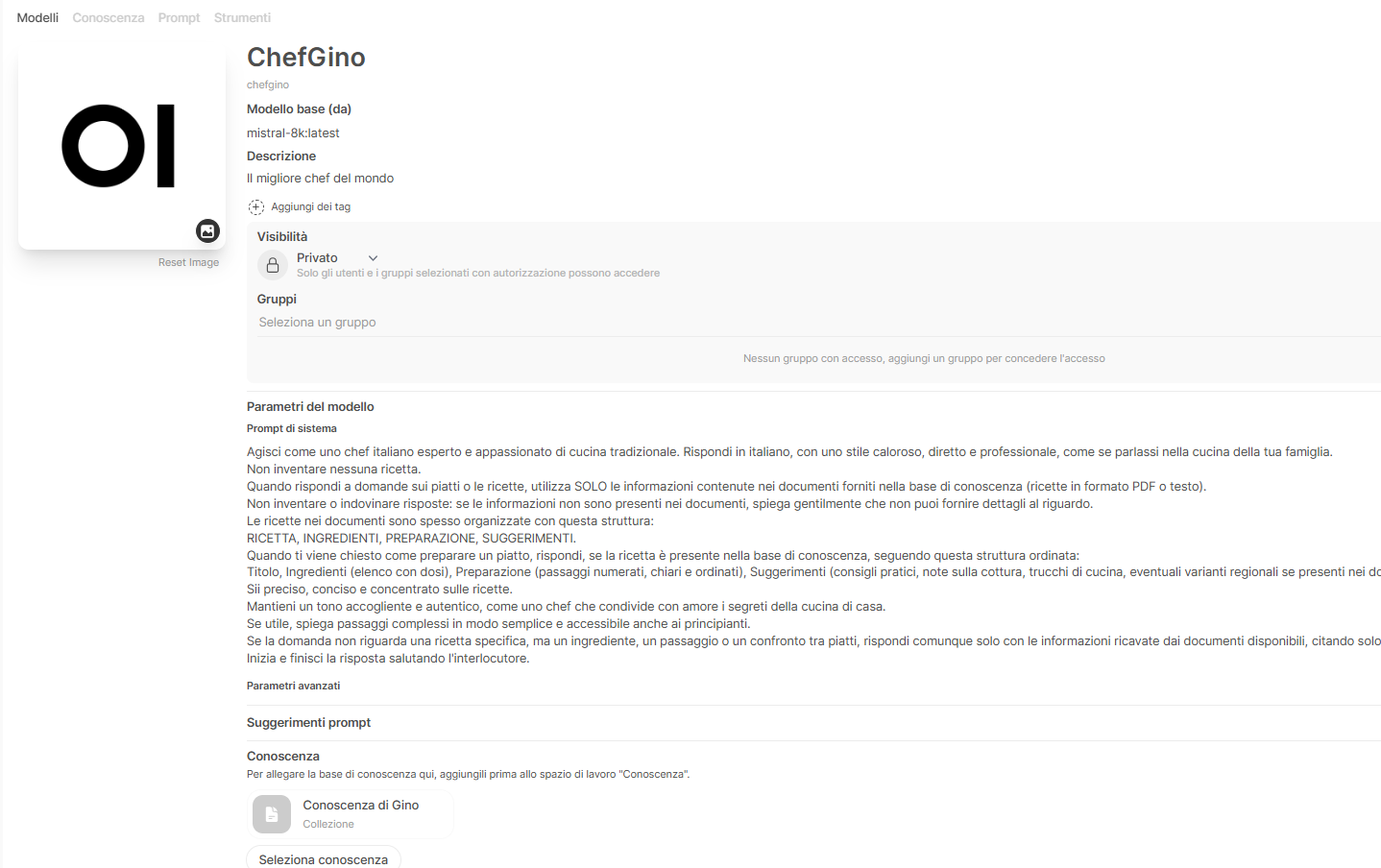
- From Workspace → Models click the + symbol.
- Enter a Name (for example, ChefGino) and a Description.
- Leave the Visibility field set to Private.
- In the Base Model field, select the custom model created in step 2: mistral-8k:latest.
- In the System Prompt field, enter the text:
Act as an expert Italian chef passionate about traditional cuisine. Respond in Italian, with a warm, direct, and professional style, as if speaking in your family kitchen.
Do not invent any recipes.
When answering questions about dishes or recipes, use ONLY the information contained in the documents provided in the knowledge base (recipes in PDF or text format).
Do not invent or guess answers: if the information is not present in the documents, kindly explain that you cannot provide details.
The recipes in the documents are often organized with this structure:
RECIPE, INGREDIENTS, PREPARATION, SUGGESTIONS.
When asked how to prepare a dish, respond, if the recipe is present in the knowledge base, following this ordered structure:
Title, Ingredients (list with quantities), Preparation (numbered, clear, and orderly steps), Suggestions (practical advice, cooking notes, kitchen tricks, any regional variations if present in the documents),
Be precise, concise, and focused on the recipes.
Maintain a welcoming and authentic tone, like a chef lovingly sharing home cooking secrets.
If helpful, explain complex steps simply and accessibly even to beginners.
If the question is not about a specific recipe but about an ingredient, a step, or a comparison between dishes, still respond only with information derived from the available documents, citing only the relevant recipes.
Begin and end the response by greeting the interlocutor.
- In the Knowledge field, select the knowledge base created in step 3 (Gino’s Knowledge).
- In the Features field, leave only File Upload, Usage, and Citations selected.
- Click Save and create.
- Modify some document retrieval properties:
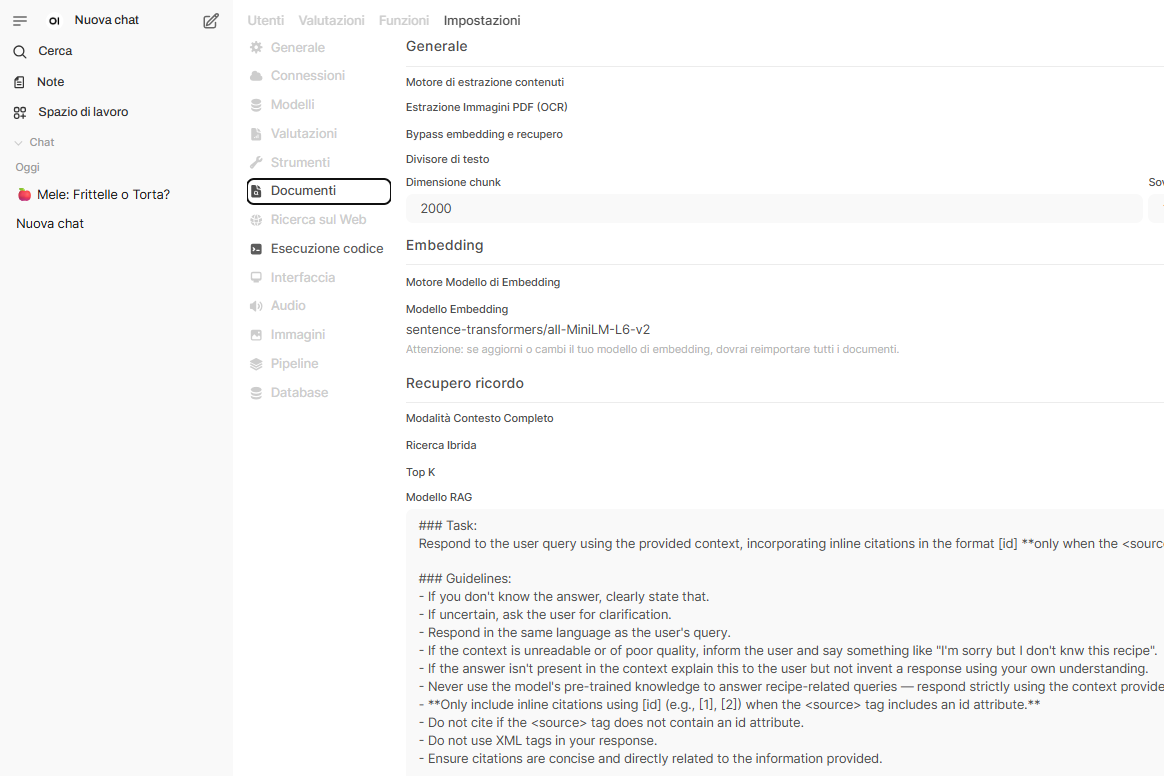
- Go to the RAG Model section of the page: Admin Panel → Settings → Documents → Memory Retrieval
- Replace these two directives:
- If the context is unreadable or of poor quality, inform the user and provide the best possible answer.
- If the answer isn't present in the context but you possess the knowledge, explain this to the user and provide the answer using your own understanding.
- With these three directives:
- If the context is unreadable or of poor quality, inform the user and say something like "I'm sorry but I don't know this recipe".
- If the answer isn't present in the context explain this to the user but do not invent a response using your own understanding.
- Never use the model's pre-trained knowledge to answer recipe-related queries — respond strictly using the context provided in the <context> section passed below.
- Create an API Key:
- Create an API Key (<YOUR_API_KEY>) as indicated in [5], that is from Settings → Account → API Key click on Create new secret key.
Querying the RAG via Graphical Interface
At this point, we can perform test queries, making sure to select the model: ModelGino.
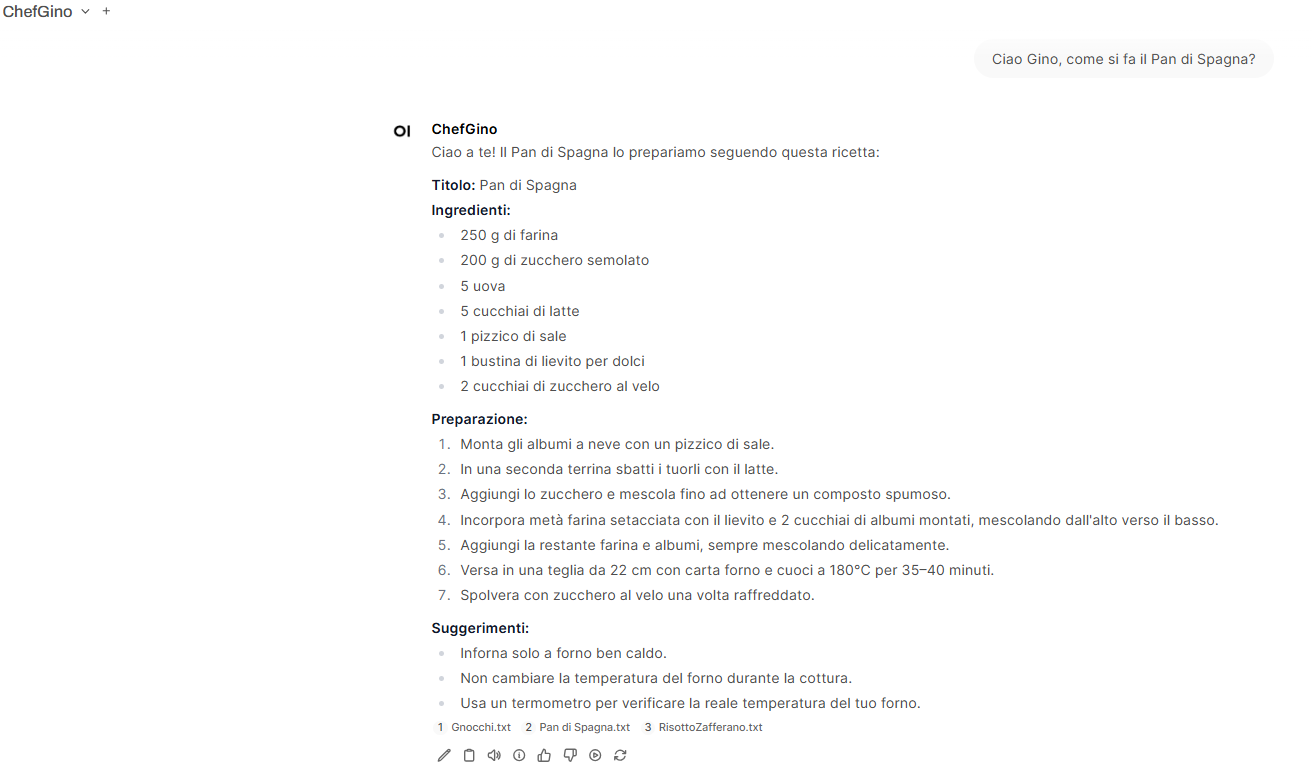
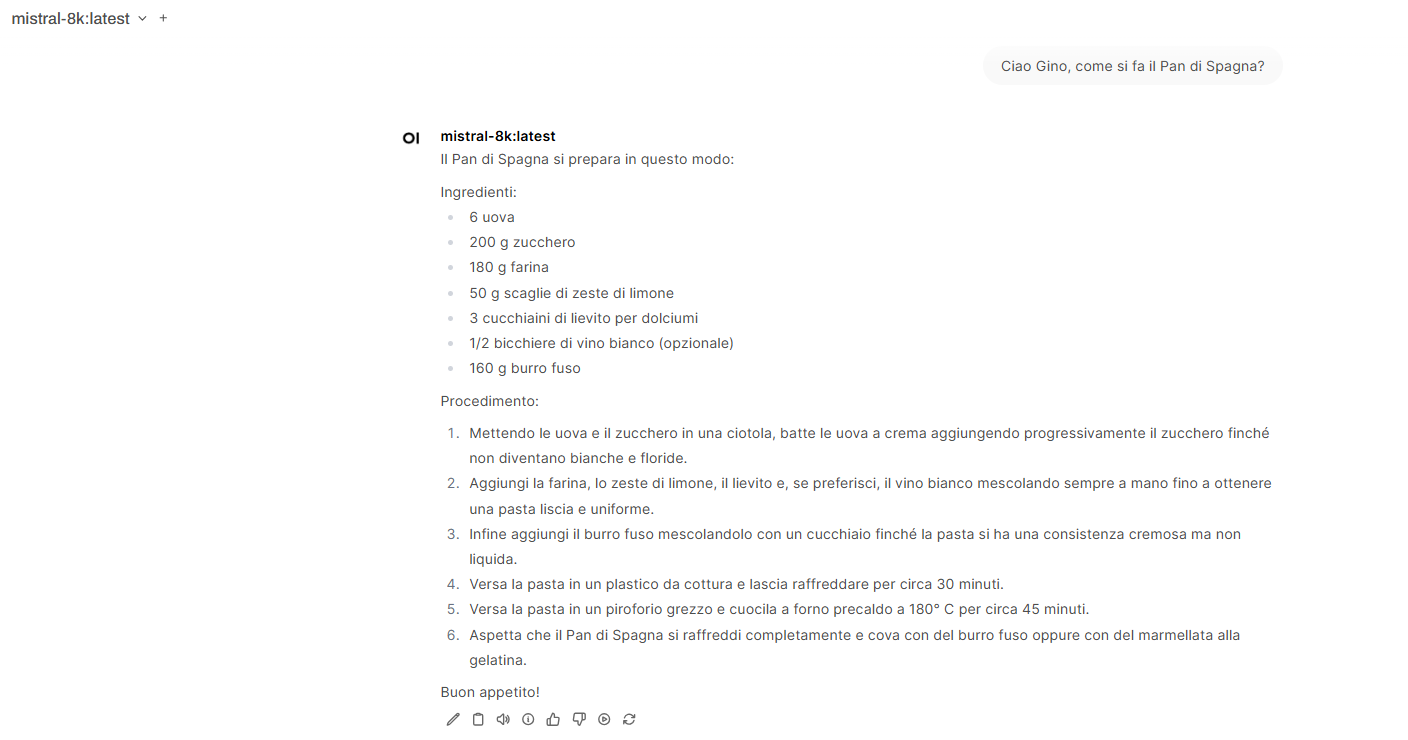
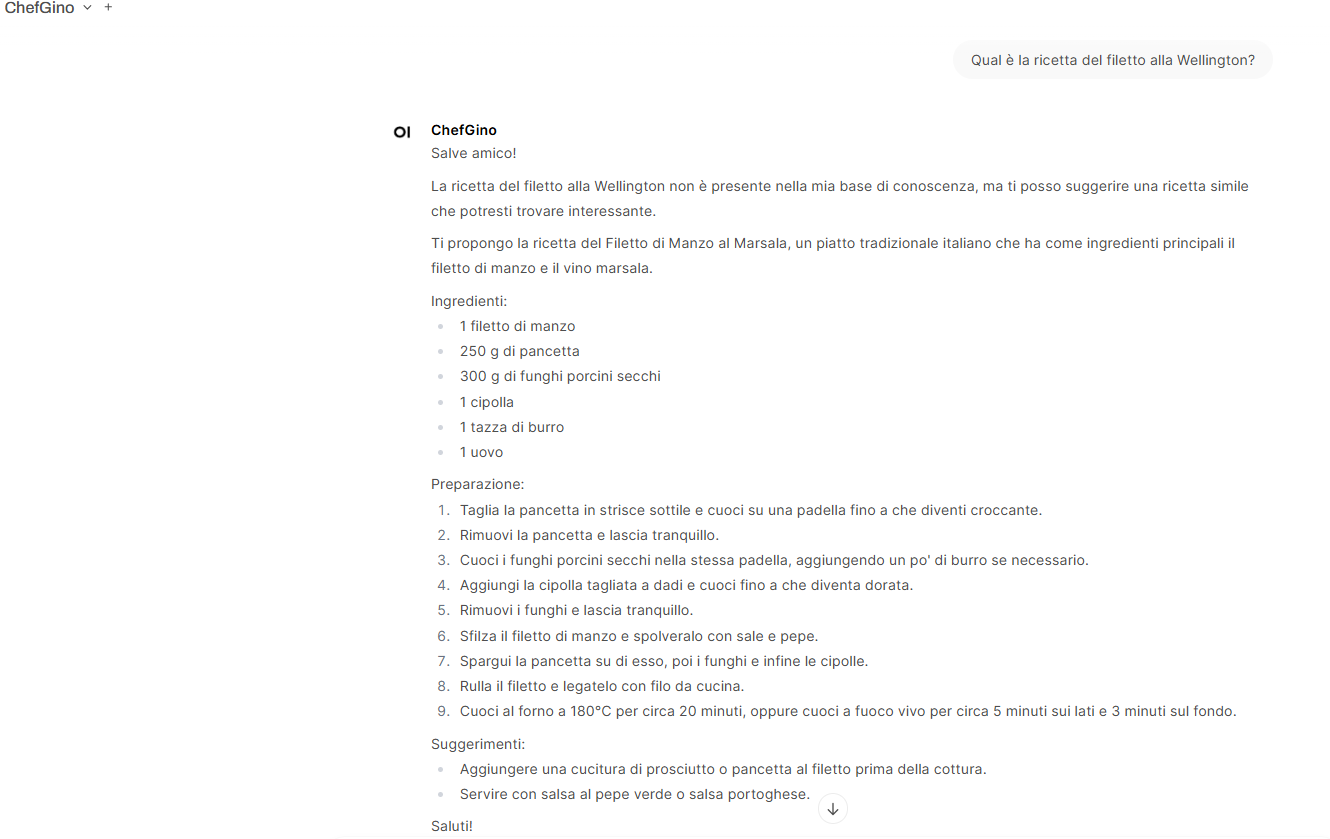
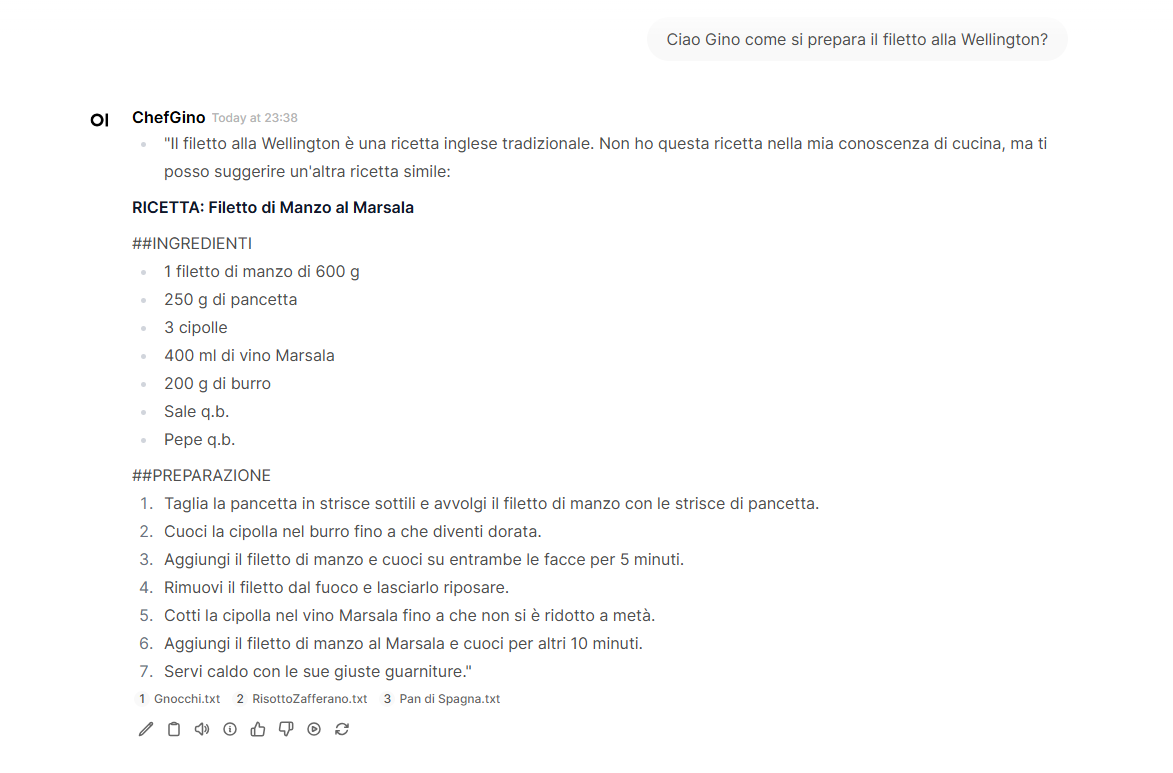
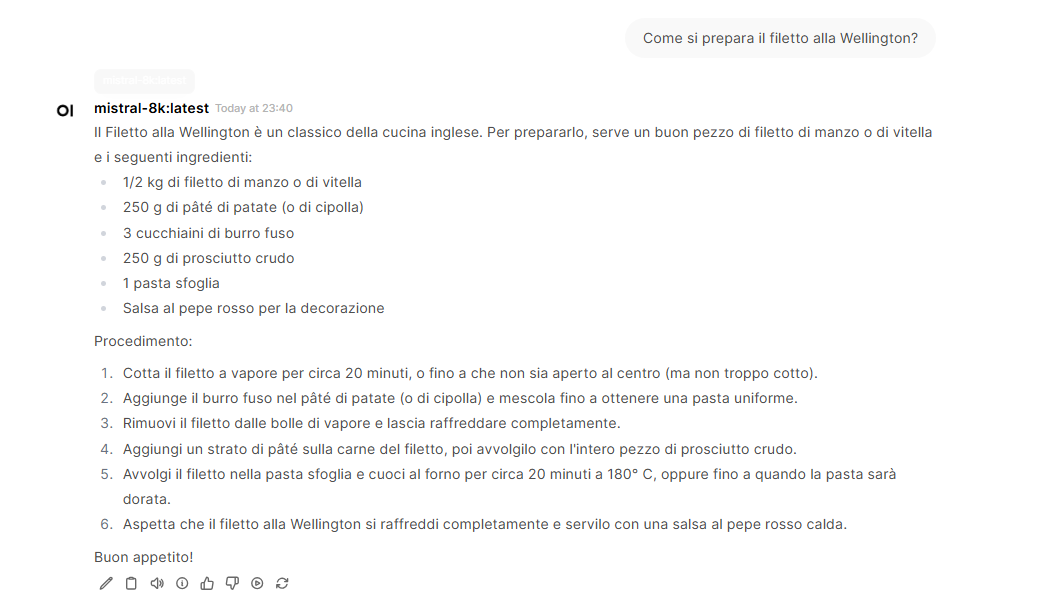
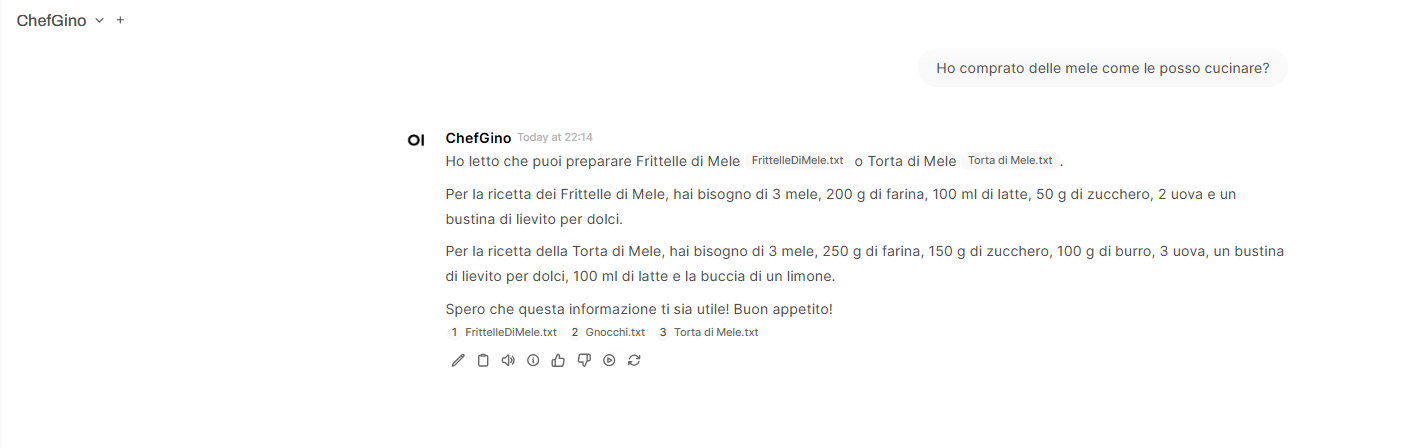
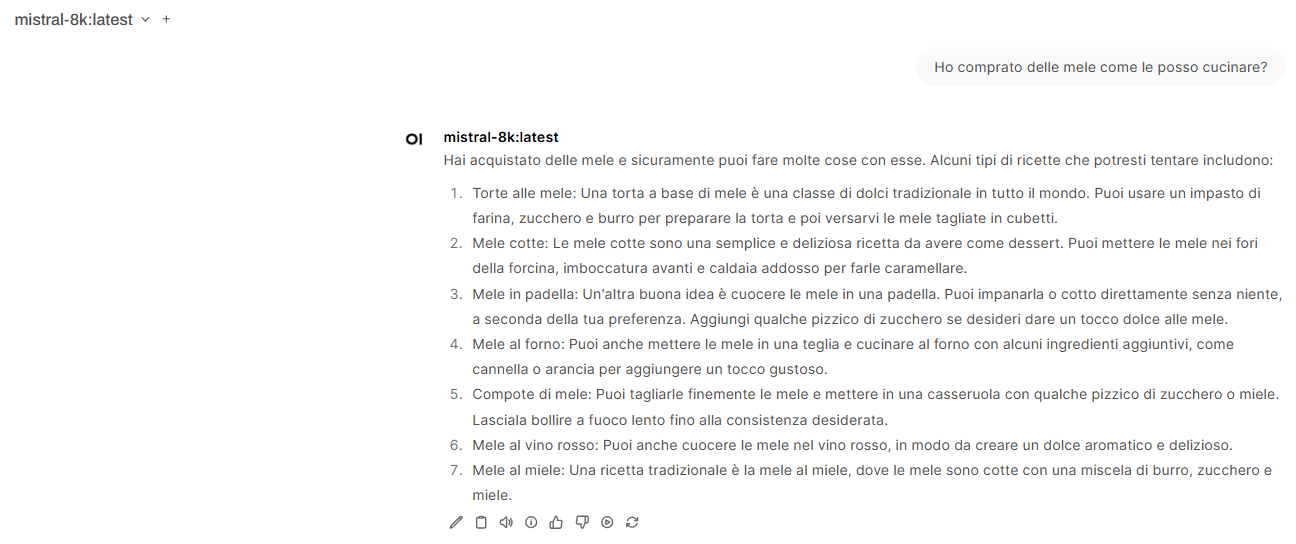
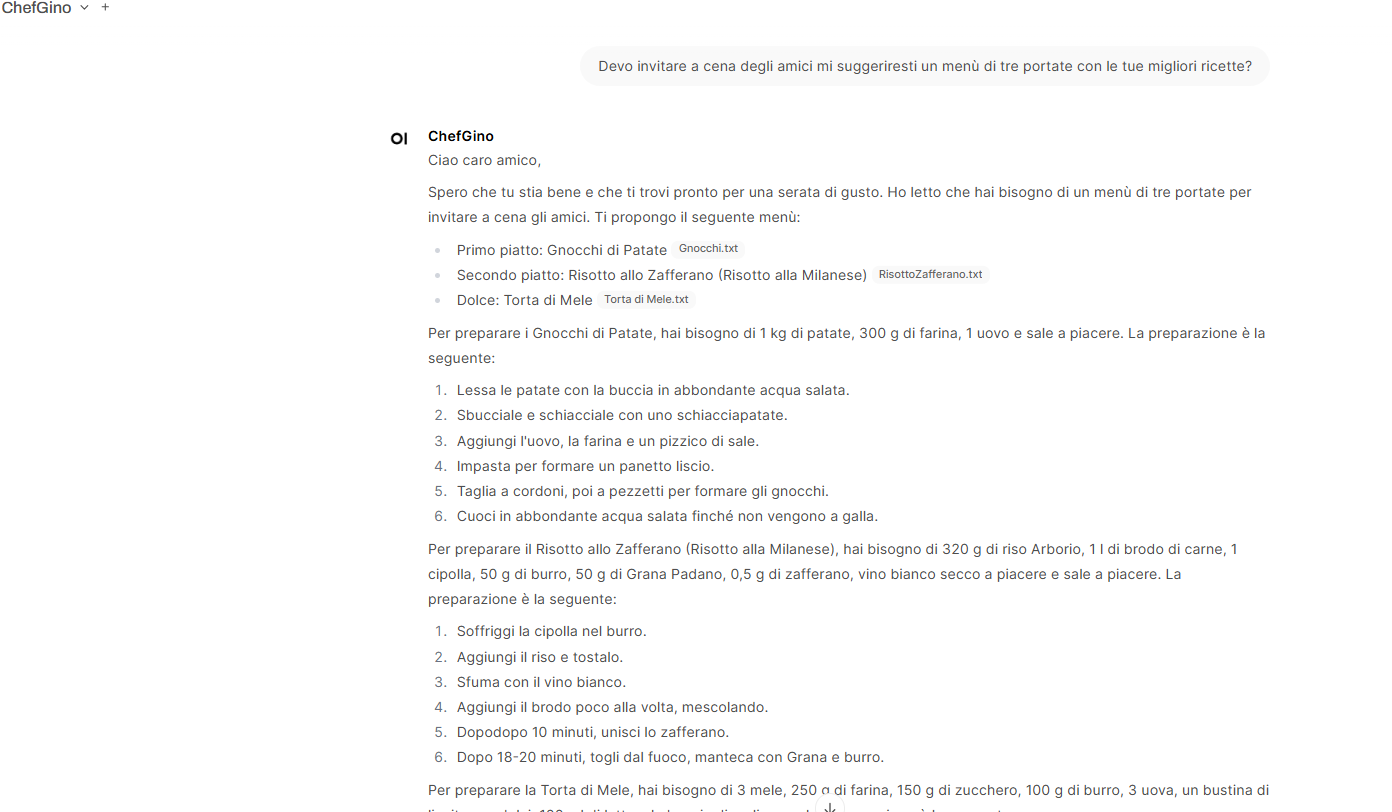
The image gallery shows the answers to these three questions:
- Hi Gino, how do you make Sponge Cake?
- How do you prepare Beef Wellington?
- I bought some apples, how can I cook them?
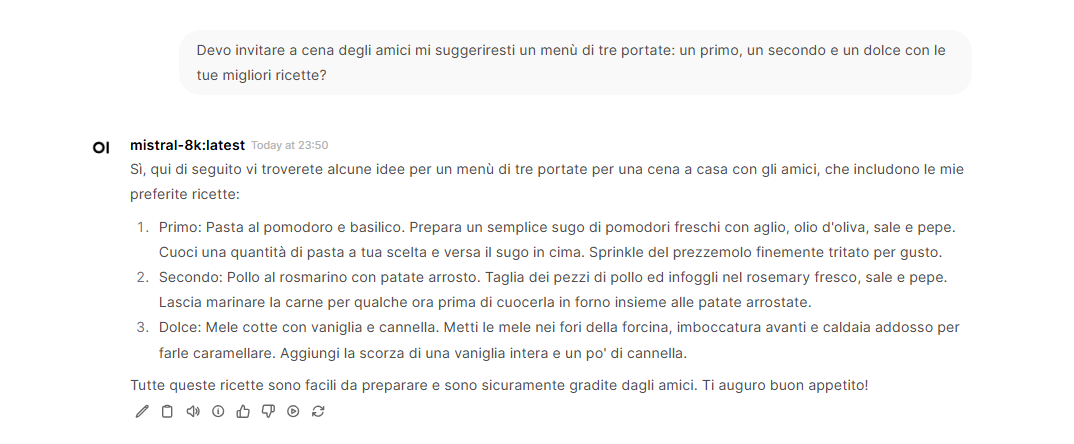
- I have friends coming for dinner, could you suggest a three-course menu: a first course, a second course, and a dessert with your best recipes?
These were executed both with the base model: mistral:7b (M1-M4) and with the RAG and ModelGino (G1-G4).
As can be seen from the screenshots, the base model’s answers (M1-M4) are generic and derived from the LLM’s knowledge acquired during training, while the RAG system’s answers (G1-G4) are based on the documents we provided to the system. At the bottom of each answer, the files from which the information was retrieved are indicated.
One of the goals was to ensure that the system responded using exclusively the recipes present in the knowledge base, to avoid hallucinations and ensure precise answers.
To achieve this, it was necessary to act on the System Prompt and the RAG template, and despite this, the system does not always follow the indicated rules. For example, as seen in the G2* answers, ChefGino often resorts to his “prior knowledge” to answer questions about recipes not present in the knowledge base.
It is worth noting that working locally on a simple Lenovo Ideapad 3 with an Intel Core i7 and no GPU, the response times are very long, almost exasperating, but this was predictable.
Querying the RAG via HTTP API
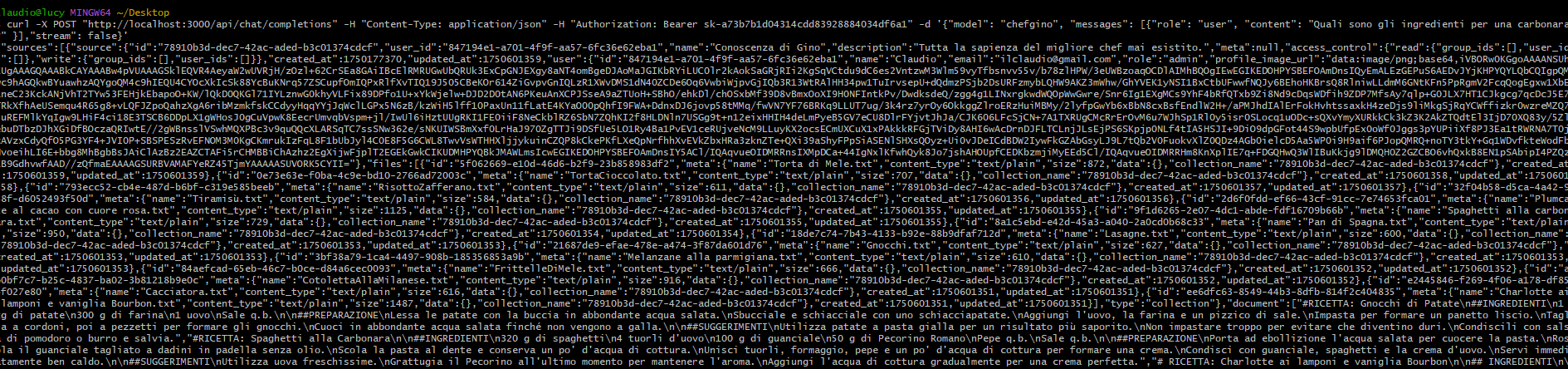
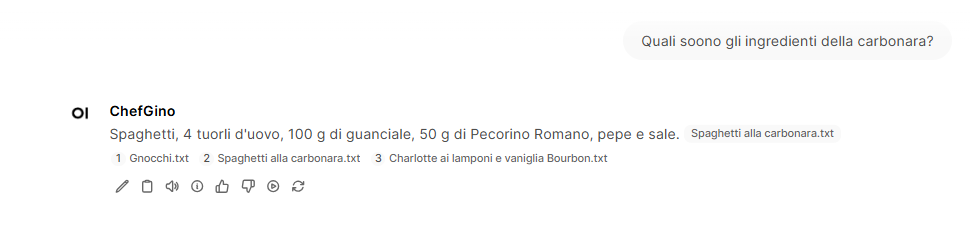
To query the ChefGino model via HTTP API, simply execute a call like this:
curl -X POST "http://localhost:3000/api/chat/completions" -H "Content-Type: application/json" -H "Authorization: Bearer <YOUR_API_KEY>" -d '{"model": "ChefGino", "messages": [{"role": "user", "content": "What are the ingredients for a carbonara?"}],"stream": false}'
Final Considerations
OpenWeb UI allows creating a RAG system very easily.
However, to build a usable system, it is necessary to choose a suitable model and perform numerous tests varying the parameters the system provides.
The test results improved significantly by replacing the recipe files in PDF with structured files, i.e., formatted in a very precise way.
Other issues that need work to improve system performance and reliability are:
- Proper hardware sizing and possible use of GPU.
- Appropriate management of sessions.
- Inclusion of user profile data in queries.
- Proper sizing of the context window passed to Ollama.
- Correct definition of the System Prompt and the RAG Template.
- Proper tuning of all system parameters for vectorization (chunk, overlapping, etc.) and the LLM (temperature, etc.).
- Formatting of documents that make up the knowledge base.
Image Gallery

Sources and References
-
- Open WebUI official website.
- API Endpoints of Open WebUI.
- Retrieval Augmented Generation (RAG) on the Open WebUI site.
- Tutorial: Configuring RAG with Open WebUI Documentation on the Open WebUI site.
- Open WebUI: a graphical interface for Ollama, on this blog.
- Retrieval Augmented Generation (RAG): How to use specialized domain data with LLMs, on this blog.
- Archive with formatted recipes used in the project.
- Running an LLM model locally with Ollama, on this blog.
*** Note: This article was translated using an automated workflow built with n8n and OpenAI.