
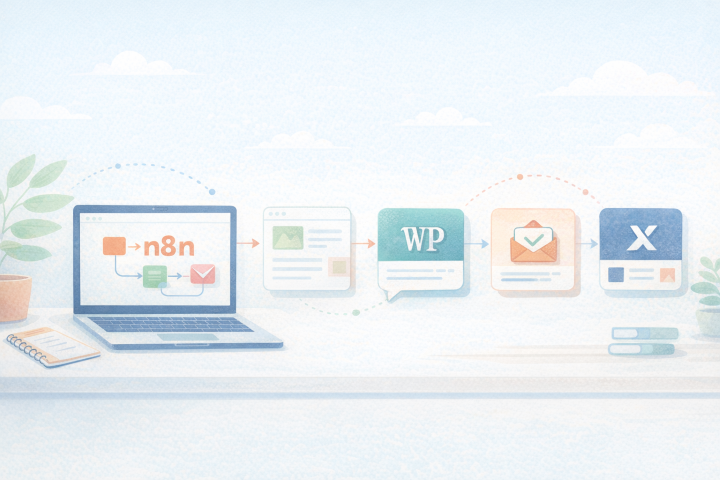
Automating Social Media Publishing: A Real Case
Every time I publish a blog post, I end up promoting it on social media by quickly writing a short description and pasting the link.
It’s an important task, without which few would read the article, but it’s also repetitive and tedious. Why not automate it?
In this post, we’ll see how this can be done using a project I developed recently and made available on GitHub.
What is n8n?
n8n is an open-source tool for visually building automation workflows. It allows connecting different services: WordPress, OpenAI, X/Twitter, Slack, Google Calendar, and many others, with logic defined by the user. You can use the Community Edition of n8n for free by hosting it on your own server.
The main advantage is that n8n allows building a complete logic, defining conditions, approvals, alternative branches, checks, and final notifications.
It’s not just about integration, but about process management.
How Does the Workflow Work?
In the project wp-social-publisher-with-n8n [3] I created a workflow that does exactly what I used to do manually, but automatically and consistently.
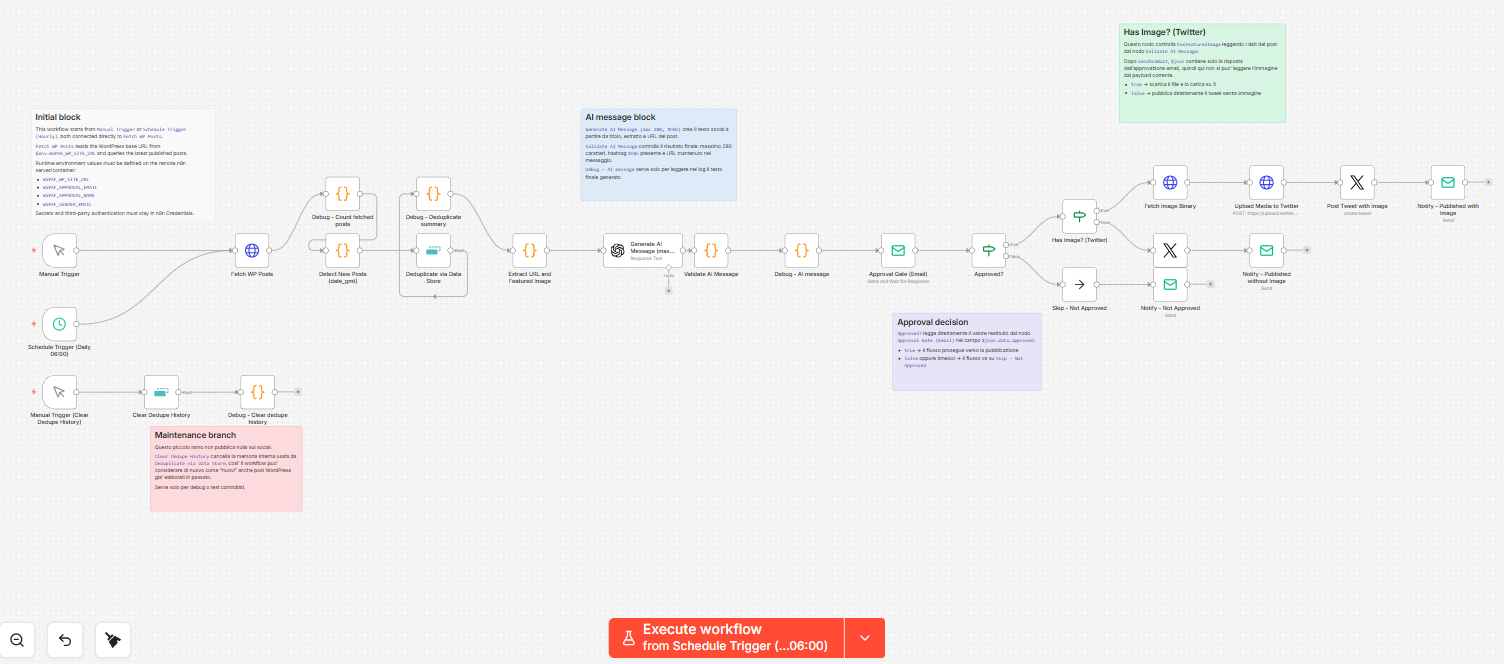
Every morning at 6, n8n checks if any new posts were published on my WordPress site the previous day. If there are none, it stops. If it finds a new one, it takes it and prepares it: extracts the title, text, URL, and featured image, if present.
At this point, it passes all the data to the artificial intelligence, which aims to produce a post announcing the article’s publication and consistent with the article’s content. The proposal arrives via email with two buttons, Publish and Do Not Publish, through which I decide the fate of the post on X/Twitter with a single click.
For those who want to try this flow or learn more:
- Detailed instructions on how to install and configure this flow are in the “Setup” section of the project’s README [4].
- The list and description of all nodes used in this flow can be found in the “Current workflow nodes” section of the project’s README [4].
The Role of Artificial Intelligence
Each node within the flow performs a specific task (see Current workflow nodes in [4]), the node Generate AI Message, for example, writes a text for X/Twitter that meets four constraints:
- be in the same language as the article;
- include the hashtag #n8n and the featured image;
- end with the article’s URL;
- not exceed 280 characters.”
The block Validate AI Message performs further checks to ensure these constraints are met and that the LLM hasn’t taken too many liberties.
In this flow, AI is a tool like the others and is inserted into a process with precise rules, performing a specific task, its degrees of freedom are limited, and its work is controlled and verified.
We are not delegating control of the flow to AI.
Human Approval
The node Approval Gate is perhaps the most interesting part of this flow, as the text produced by the AI is sent via email to the person in charge, in this case, me, who, after reading it, can accept or reject it. At the bottom of the email, after the article text, the article link, and the image link, there are two buttons: Publish and Do Not Publish.
If within 24 hours neither of these buttons is clicked, the publication is not carried out, and the process stops; in any case, the person in charge receives an email informing them of how the process concluded.
The Result
This flow is already in production, and I am testing it these days: it works well and, in its simplicity, I find it extremely convenient and useful.
I usually write and publish posts in the evening or afternoon, but it’s not uncommon for me to find myself correcting them after dinner, staying up late when they are already published.
In the morning, while checking my email, I find the proposal to publish the post on X/Twitter. I read it: if it convinces me and I feel like sharing the article, I approve it; otherwise, I reject it and later rewrite the post by hand when I’m more inspired.
Since then, I’ve thought of many other processes I could automate with n8n both in work and private settings.
And you? Do you have any boring and repetitive processes that steal your time and that you’d like to try automating?
The Debug Flow
The main flow we’ve discussed so far can be triggered either by a daily schedule (standard operation) or manually via a trigger from the n8n UI for debugging purposes.
Alongside the main flow, there is a secondary one dedicated to debugging: it’s an isolated branch that doesn’t publish anything on social media, doesn’t go through approval nodes, and is solely for maintenance and internal verification operations.
Its purpose is to reset the deduplication memory used by Deduplicate via Data Store, so the workflow can again consider even previously processed WordPress posts as “new”.
Future Developments
The flow presented is intentionally simple, which could be generalized and enhanced. The goal, more than addressing a real need, was to experiment with a new working methodology [2]. At the same time, during this initial period of use, I’ve thought of some modifications and additions that could be made:
- Post production for: Facebook, LinkedIn, Instagram, and Telegram.
- Ability to modify the post text by replying to the email instead of clicking Publish or Do Not Publish.
- Ability to customize email templates.
- Ability to have AI generate an image if the article doesn’t have a featured image.
- Customization of the frequency with which the flow is scheduled.
Final Considerations
This flow demonstrates that using AI in a process doesn’t mean delegating responsibilities that could make the final result unpredictable or even disastrous.
It’s possible to control AI-produced semi-finished products with automatic means and delegate every final decision to a human operator. At the same time, using AI allows speeding up activities that require some creativity but are also boring and repetitive.
With the right balance between delegation and control, processes can be optimized, making them faster and more efficient.
Sources and References
- Workflow Automation: Installing n8n Locally and on a Server, on this blog
- How to Create an n8n Flow Using MCP with the Assistance of ChatGPT and Claude, on this blog.
- The project wp-social-publisher-with-n8n on GitHub.
- README.md of the wp-social-publisher-with-n8n project, GitHub.
- n8n – Workflow automation, official site.
- Twitter Developer Platform, official site.
- WordPress REST API Handbook, official documentation.
*** Note: This article was translated with an automated workflow created with n8n and OpenAI.